
Intelligent Platform Management Interface (IPMI), is the interface to "intelligent" hardware used to monitor a server's physical health characteristics, such as processor and system temperatures, fans speed and voltage levels. These capabilities provide information that enables system management and recovery which drive down the total cost of ownership (TCO).
Since IPMI communicates over the network, IPMI enabled servers can be managed remotely from any location. IPMI provides vital administrative tasks including:
- Real time system health monitoring on vital system components including processors, chassis fans and power supply
- Powering1 a system on or off
- Resetting a system after a lock up
- Hardware watchdog
- Logging of critical system events (modem required)
- Auto paging when critical system events occur
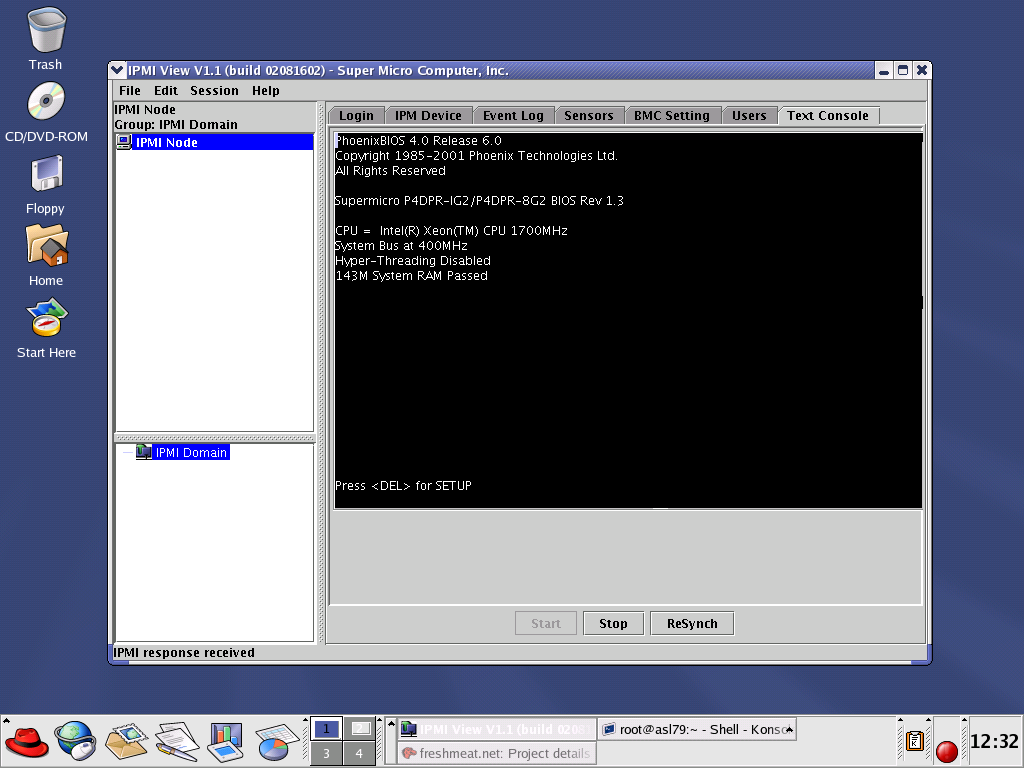
- Console access to view system message during post
- Console access to view, set, or or modify BIOS/firmware setting
To manage an IPMI enabled server, a Java-based server management application is included for both Linux and Windows. The program can manage and monitor all IPMI enabled servers that are accessible over LAN. For security, each IPMI enabled server can only be accessed with a password.
In a cluster environment, IPMI plays a very important role in the deployment and management of large number of systems. From the master controller, system administrator can install/reinstall the compute nodes without keyboard and monitor by using PXE net boot, kickstart installer and IPMI console access. Through its built-in console access, IPMI eliminates the need for the KVM switches and cables thus reducing the cost of the clusters. Since individual nodes can be powered cycle on or off remotely, IPMI eliminates the need for the power distribution units with integrated remote management.
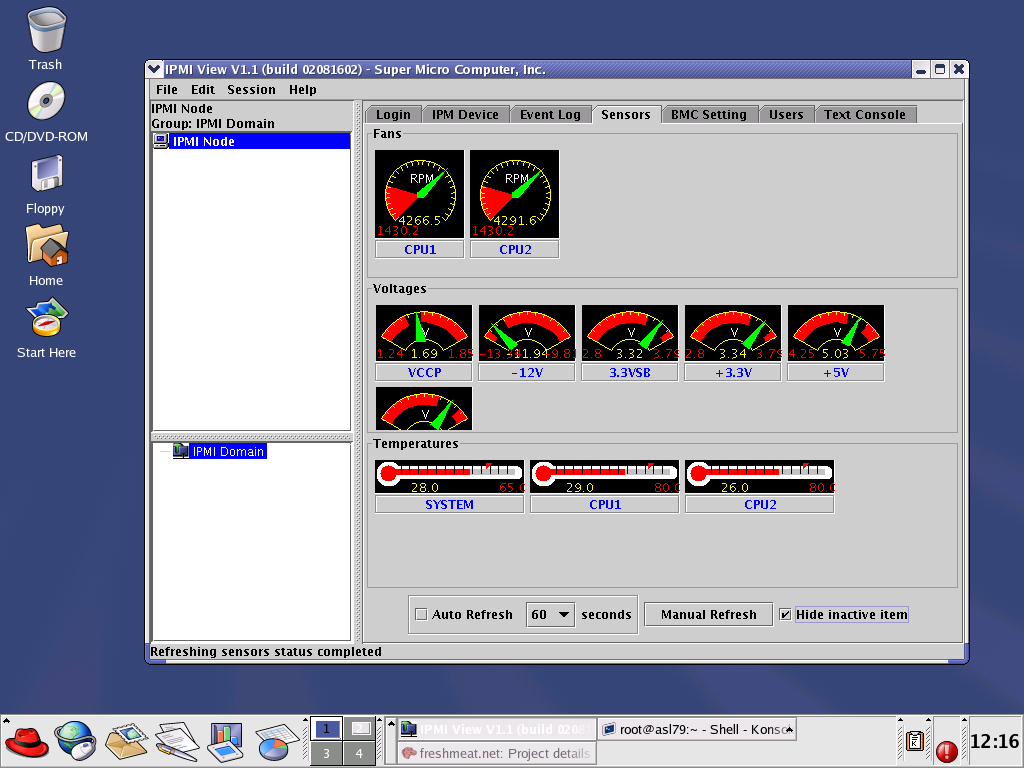
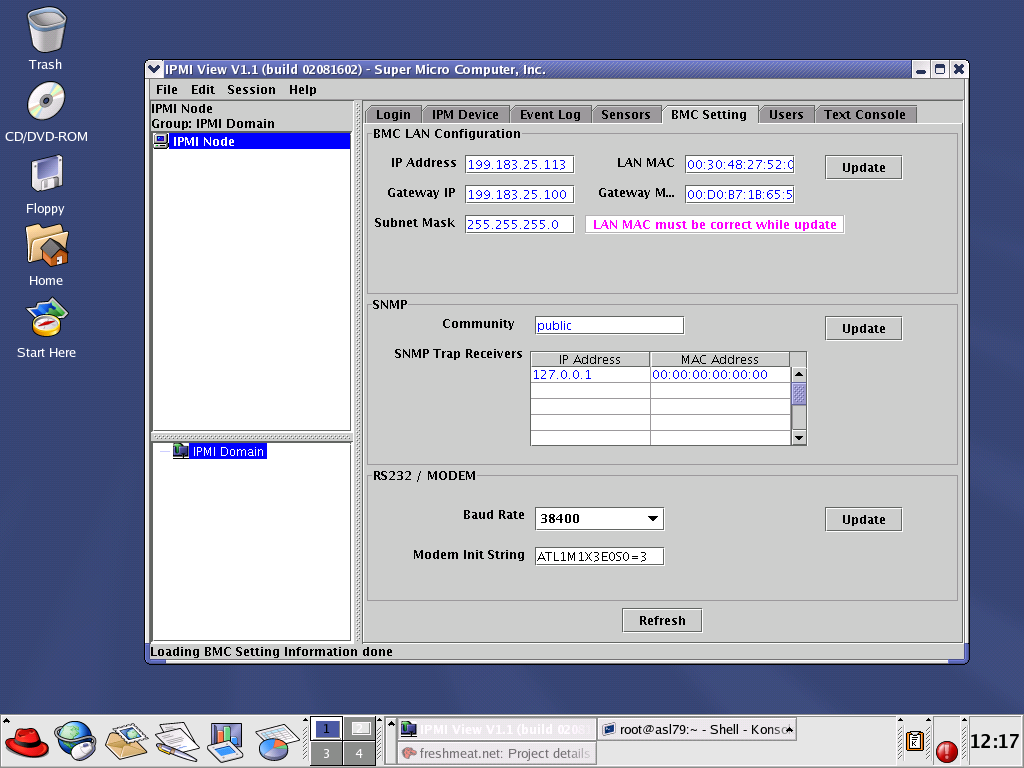
Sample IPMI screen shots:
- System Login
- Remote Power Control
- System Event Log
- System Health Data
- Network Configuration
- Account Setup/Security
- Remote Console Access



IPMI is supported in most of the ASL servers including the Lancelot, Sovereign and Omega series
1. Graceful power cycle/restart requires a kernel that has the Open IPMI interface such as ASL 2.4.19-6.